
JESSE
RICHARDSON
User focused obsessed
User focused obsessed

Graduate HCI Project at RIT
Wishlist Wardrobe is a centralized virtual wardrobe application designed to address the disjointed nature of online shopping. Currently, shoppers face cognitive overload managing multiple tabs, sizing inconsistencies across brands, and a lack of visualization tools. This project aimed to create a unified platform where users can collect items from any store, visualize outfits using AI/AR, and manage wardrobes for multiple individuals (e.g., family members or clients).
Our team conducted field observations and contextual inquiries to understand user behaviors. We discovered that while online shopping is convenient, it often leads to decision fatigue. Shoppers frequently rely on "multi-tab shopping" to compare items and depend heavily on customer reviews to mitigate sizing risks. A key finding was that users often buy multiple sizes to guarantee fit, leading to increased return workloads.
We developed personas based on our research, including "Hailey," a busy parent needing efficiency, and "Marcus," a fashion consultant needing to organize outfits for clients. We utilized Hierarchical Task Analysis (HTA) to map the complex workflow of shopping for multiple people, focusing on reducing memory reliance and preventing errors during the checkout process.
We created a sitemap and low-fidelity prototypes to structure complex features like the "Shared Closet" and "Multi-Cart" systems. The High-Fidelity prototype refined these concepts, introducing a "Style Feed" for social discovery and a "Smart Search" filter. The design adhered to Hick’s Law to minimize choice paralysis and Jakob’s Law to ensure familiar navigation patterns.
We conducted usability testing with four participants. The pilot study revealed that while the concept of multiple carts was useful, it introduced friction. Additionally, participants reacted negatively to AI-generated imagery on the landing page. Based on this, we removed the AI imagery, redesigned the search filters to match standard e-commerce mental models, and improved the distinction between "Closets" and "Carts" to reduce cognitive load.
Graduate HCI Project at RIT
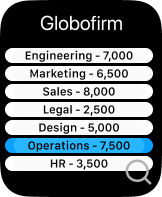
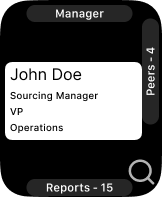
This project explored the design of a corporate directory application for the Apple Watch. The goal was to support employee discovery within a large organization while respecting the constraints of an extremely compact screen and limited input methods.
Apple’s watchOS Human Interface Guidelines informed core decisions around layout, hierarchy, and control density. Although Apple discourages deep hierarchies on watchOS, this constraint was intentionally challenged to explore edge cases for enterprise-scale data.
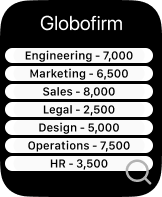
Early sketches proposed a vertically organized directory with divisions displayed on the home screen, each paired with employee counts and a global search option. Selecting a division revealed teams, and eventually individual employee profiles.
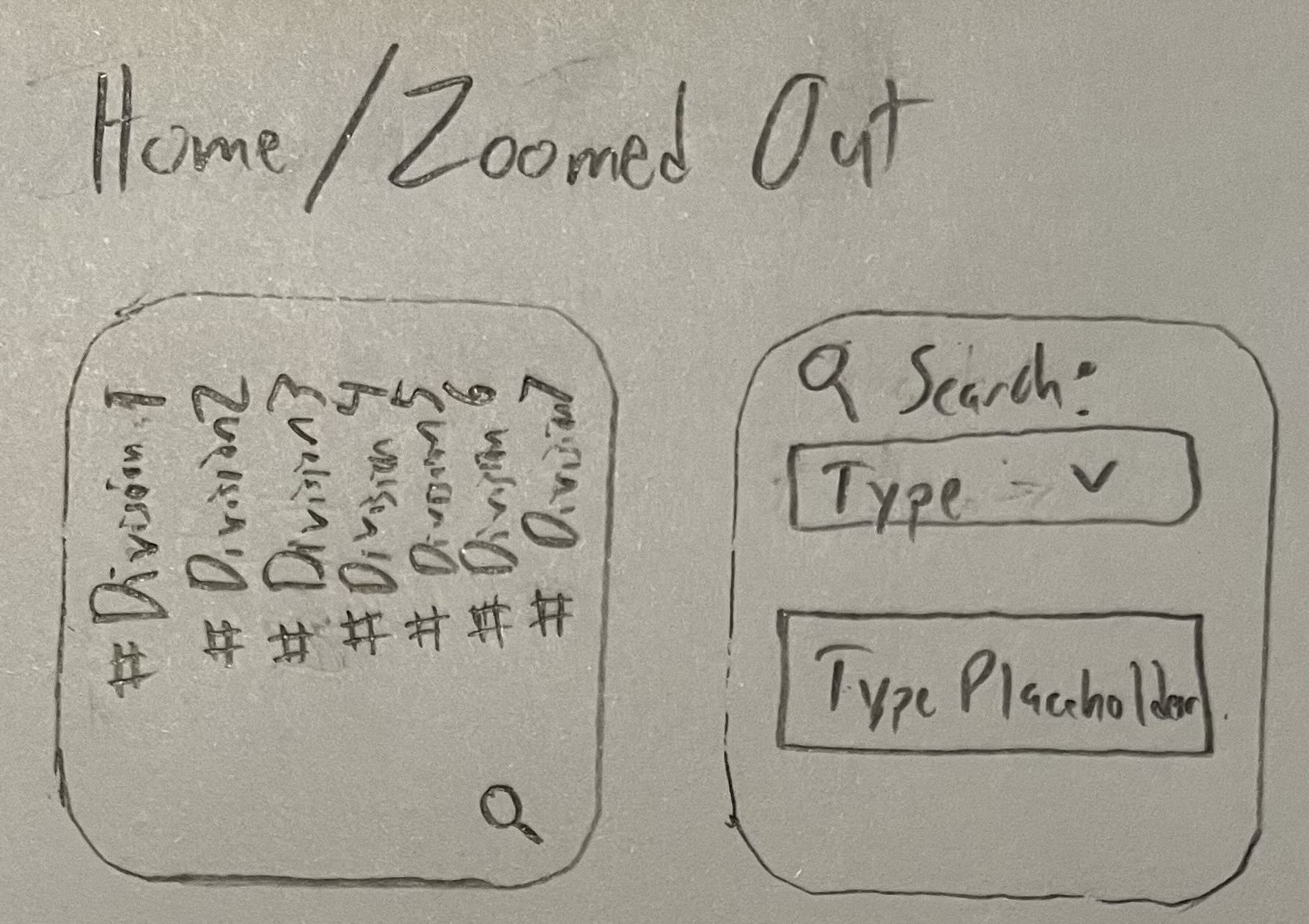
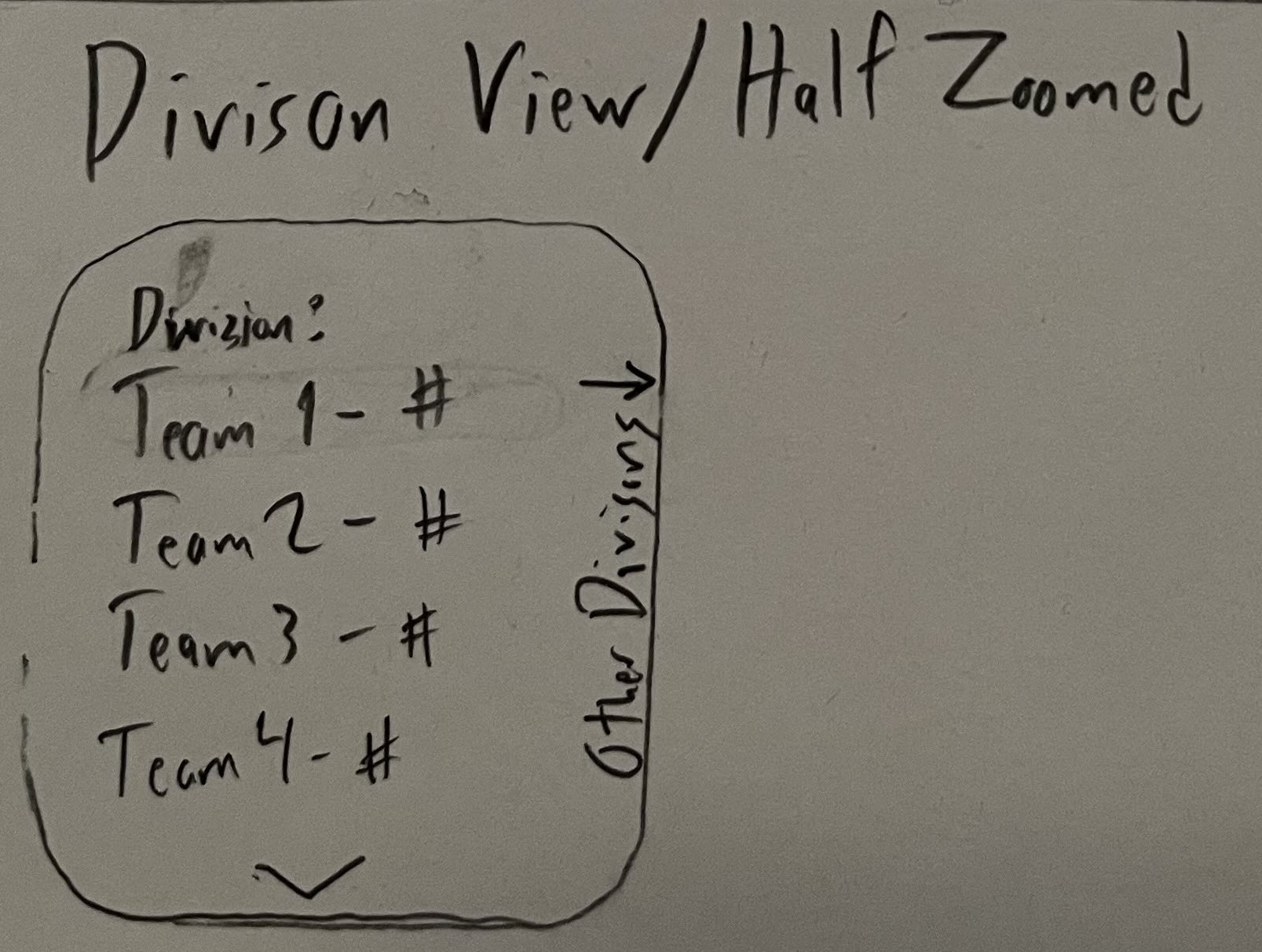
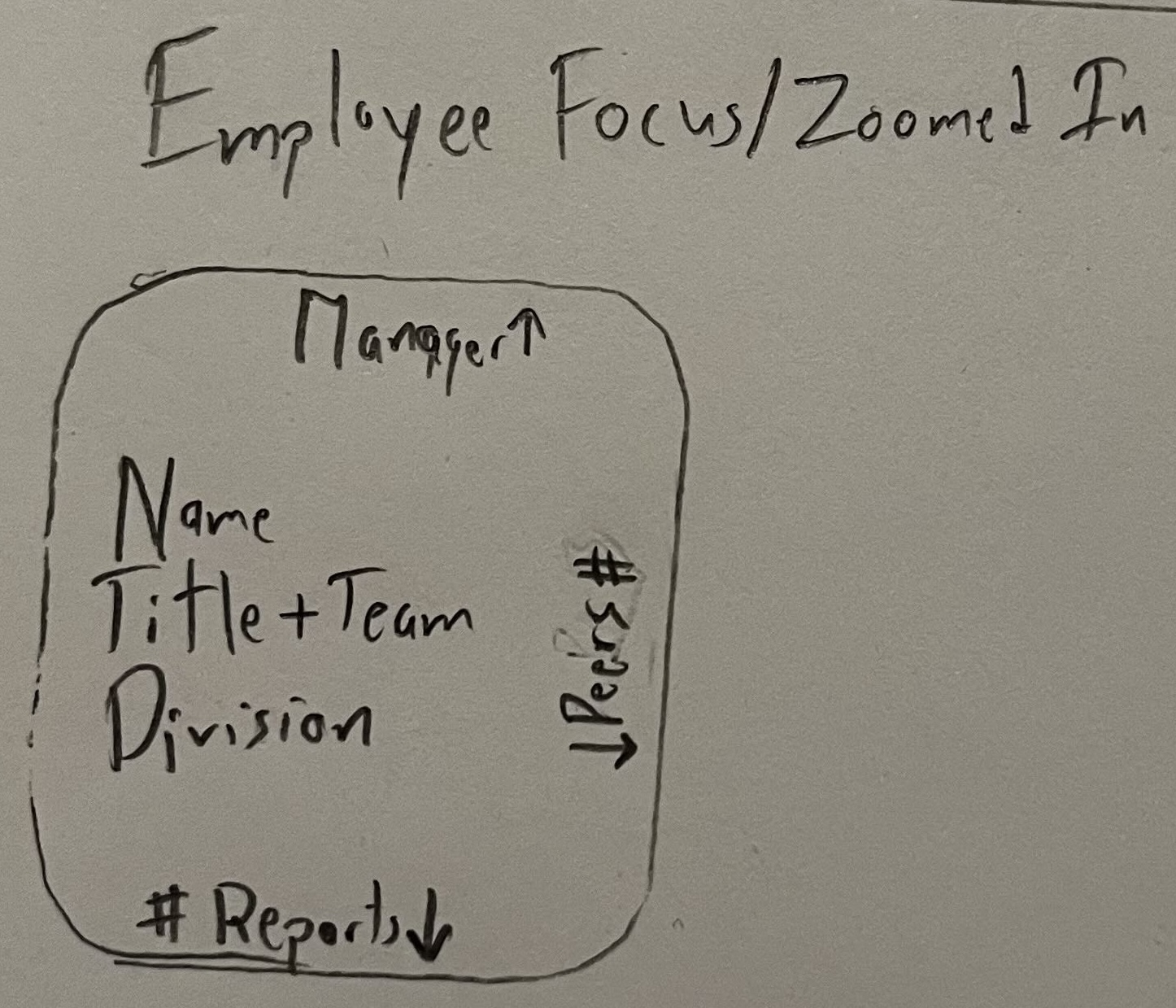
The design was refined in Figma using Apple’s watchOS UI Kit. Vertical text layouts were abandoned due to legibility issues, and divisions were reoriented horizontally for improved readability and alignment with platform conventions.
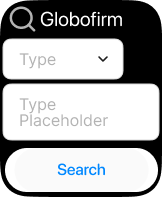
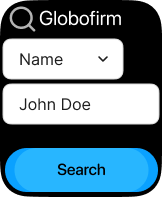
Users can search by division, level, or employee name using a dropdown selector and text input. Results dynamically update once valid input is entered.
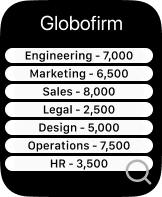
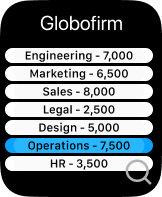
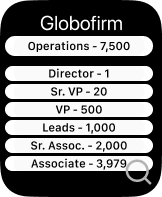
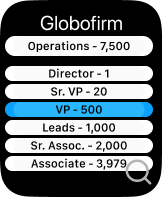
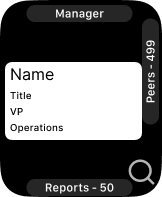
Users can browse divisions directly from the home screen, drill down into organizational levels, and view individual employees. Peer and report navigation supports lateral exploration without excessive backtracking.

SoHookd.com
The research phase began with interviews to understand user needs, pain points, and existing behaviors related to nutrition challenges and wellness platforms. This was followed by benchmark research to analyze competitors and industry standards. Key insights gathered helped in defining the project's scope and design direction.
Initial sketches and low-fidelity wireframes were created to visualize the user flow and layout. This iterative process focused on simplicity and clarity, addressing user needs identified in the research phase. The wireframes provided a foundational blueprint for the platform's interface, with a focus on intuitive navigation and accessible information.
User testing was conducted to validate the design concepts. Feedback from users helped refine the platform's features and overall experience. Key takeaways from this phase included the importance of a simple, easy-to-understand challenge selection process and clear progress tracking.
The design phase brought the wireframes to life. A key feature, "Simple Select," was designed to streamline the challenge sign-up process. The account screen was also redesigned to provide users with a clear overview of their progress and easy access to their profile and wellness resources.

UX Design Institute
This project was completed for the purposes of learning, understanding and using the design process. The main goal was to take research findings, analyze and conceptualize them, and design an airline website that created a better experience for users.
I completed 3 interviews directly followed by a usability test of 2 competing airline websites. Findings included: Users use aggregator sites for comparison and visit airline sites when ready to book; Brand loyalty is prevalent; A clear flow is important.
I used affinity diagraming to break down my research findings into understandable groupings. The Customer Journey Map added structure and emotion tracking. Users typically have a better experience during data-entry and a less than optimal experience when interpreting large amounts of information.
Sketching gave me a visual on the user's experience, focusing on clear presentation and flow. I focused on "Less clicks = Better," "Avoid Redundancies," "Clarity is key," and "Keep fare-levels simple". I created a medium-fidelity prototype using Figma and Invision.
Redesign Experiment
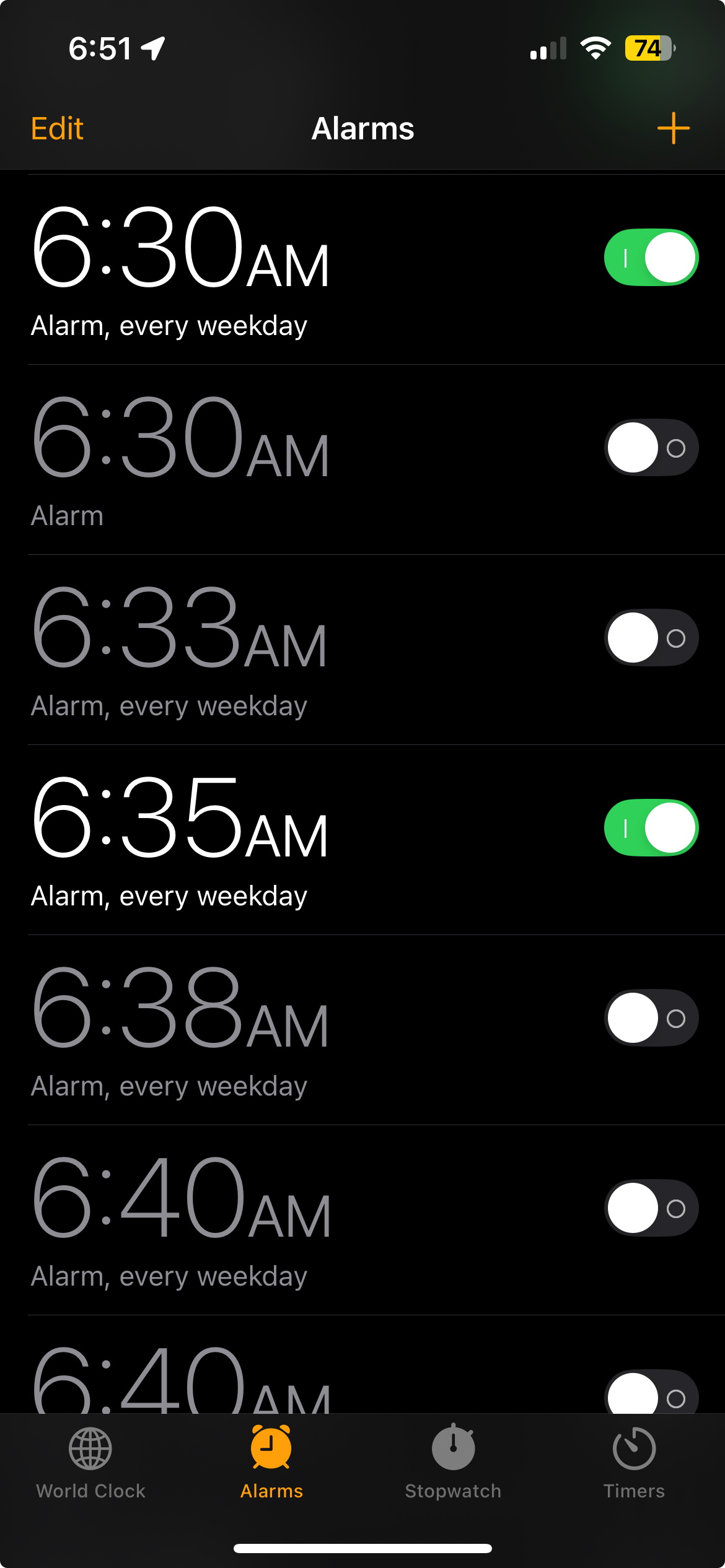
My mother noticed how many nonactive alarms I had in my alarm list. She told me that when she turns off an alarm, it deletes itself. Through an impromptu usability test, I learned that the iOS Switch control used to turn alarms on/off was misleading her, as the gesture to swipe like a switch is the gesture used to delete an alarm. Problem: iOS Switch control offers incorrect affordances.
Interviews and testing were done informally and in-person. The goal was to affirm or dispute my initial theory that the Switch control offered the wrong affordances. 4 users completed the test. Findings: 3 out of 4 users deleted the alarm by swiping when they were attempting to turn off an alarm.
The goal was to create a dead-simple redesign of the iOS Switch control. The outcome was a control that had an unmistakable function. Using Figma, I created a medium-fidelity prototype. 2 users were tested. Boxes with rounded corners were added to each button. This addition was retested and users had no trouble interpreting the control.
Oct 2024 to Present
Aug 2024 to Oct 2024
Apr 2022 to Aug 2024
Jan 2022 to Apr 2022
Sep 2021 to Dec 2021
Aug 2020 to Apr 2022
Rochester Institute of Technology · Expected Spring 2026
Glasgow Caledonian University, UX Institute · Mar 2021 to Jun 2021
Robert Morris University · Aug 2013 to May 2017
Email: jrich2095@gmail.com
LinkedIn: jesserichardson1